Published: September 28, 2026
Table of Contents
- Start with safety before you troubleshoot
- Use the symptom to narrow the problem
- Why won’t the auger penetrate the ground?
- What should you check if the auger won’t dig straight?
- Why does the auger walk off center at the start?
- What should you do if the auger gets stuck in the hole?
- How do hydraulics affect auger troubleshooting?
- How do worn teeth, pilots, and flights change performance?
- Match the fix to the ground condition
- What should you check before calling for help?
- When should you stop troubleshooting and get support?
- Questions operators usually ask when an auger starts acting up
When an auger won’t penetrate, won’t dig straight, walks off center, or gets stuck in the hole, stop forcing it and work through the cause. Most digging problems come back to one of five things: the bit is worn, the bit doesn’t match the ground, the machine isn’t positioned correctly, the hydraulic setup isn’t delivering enough usable power, or the operator is feeding the auger too aggressively.
Here at Attachment Authority, we help operators match auger drives and bits to the machine, hole size, ground conditions, and workload. This guide is built to help you diagnose the problem in the field, avoid preventable damage, and know when it’s time to ask for fit help before you keep digging.
If the problem points back to the wrong drive or bit, you can compare our auger attachments or contact us with your machine model, hydraulic flow, pressure, bit size, and ground conditions.
Start with safety before you troubleshoot
Before you inspect an auger, lower the attachment, shut the machine down, relieve hydraulic pressure according to the machine manual, and keep people and animals out of the work area. Don’t reach near the bit, drive, hoses, couplers, or flighting while anything can move.
If the auger is stuck, don’t jerk the machine around or use travel movement to pry the bit loose. That can bend flighting, side-load the drive, damage the shaft, or make the hole collapse around the bit. Follow the manufacturer instructions for reversing or backing out of a hole, and stop if the drive, hoses, or machine doesn’t sound or feel right.
Hydraulic problems deserve extra caution. Leaks, hot oil, damaged hoses, mismatched couplers, and restricted lines can create equipment damage and safety risk. If you see fluid leaks, abnormal noise, rapid overheating, or visible damage, stop and bring in the right service support.
Use the symptom to narrow the problem
Auger troubleshooting goes faster when you start with what the tool is doing. The table below gives you the first checks we would make before assuming the drive or bit has failed.
| Symptom | Likely causes | First checks |
| Auger spins but won’t penetrate | Dull teeth, worn pilot, wrong bit for ground, low pressure, too much speed, hardpan, rock, or roots | Inspect teeth and pilot. Check bit type, down pressure, ground conditions, hydraulic pressure, and drive match. |
| Auger won’t dig straight | Machine is not level, bit started out of plumb, obstruction in the hole, bent flighting, worn pilot, or side-load correction | Recheck machine position. Start the bit plumb. Pull out early if the hole starts leaning. Inspect for damage. |
| Auger walks off center | Hard top layer, slope, worn pilot point, too much speed at startup, or bit skidding before it bites | Start slower. Set the pilot first. Check tooth and point condition. Consider a different bit for hard ground. |
| Auger gets stuck in the hole | Sticky clay, roots, rocks, collapsed material, excessive down pressure, digging too deep without clearing spoils, or binding from a crooked hole | Stop forcing it. Follow the manual for reversing or backing out. Clear spoils more often. Check for obstruction or side load. |
Why won’t the auger penetrate the ground?
If the auger is spinning but not biting, check the cutting teeth and pilot point first. Worn, rounded, chipped, missing, or incorrectly matched teeth can make the bit skate on the surface instead of cutting into the ground.
Ground conditions are the next check. Dry clay, hardpan, rocky fill, shale, roots, frost, and compacted traffic areas can stop a standard dirt bit from digging well. Pushing harder isn’t always the answer. Too much down pressure can stall the drive, create heat, and increase wear.
What if the bit worked yesterday but not today? The ground may have changed. A fence line can move from soft soil to gravel. A pole barn site can hit compacted fill. A farm project can run into roots near a tree line. The same auger can act completely different when the material changes under it.
If you suspect the bit style is wrong for the ground, our guide on rock auger bits can help you compare when a heavier cutting setup makes sense.
What should you check if the auger won’t dig straight?
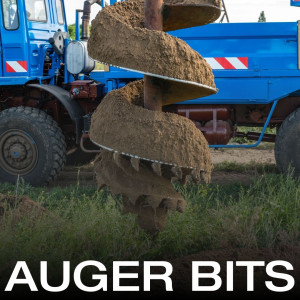 A crooked hole usually starts in the first few inches. If the machine isn’t level, the bit isn’t plumb, or the pilot point doesn’t bite cleanly, the auger can follow that bad start deeper into the hole.
Rocks, roots, buried debris, and uneven compacted layers can also push the bit off line. Once the hole starts leaning, forcing the machine to correct it can bend flighting or stress the drive. Pull the bit out early, reposition, and restart if the hole is still shallow enough to correct safely.
Should you move the machine to straighten the hole while the bit is down? Only make small positioning corrections while digging and stay within the equipment instructions. Don’t use the carrier as a pry bar. If the bit is bound, stop and reassess instead of trying to muscle the hole back into line.
Why does the auger walk off center at the start?
An auger usually walks off center when the pilot point doesn’t get a clean bite before the flighting starts pulling. This can happen on hard, dry ground, gravel, slope, packed fill, frozen surface, or when the operator starts with too much speed.
Start slower and let the pilot point set before you feed the bit harder. If the pilot is worn or damaged, it may not hold center even with good positioning. If the surface is too hard for the bit style, the auger may keep skating until you match the cutting system to the ground.
For buyers still choosing a bit, our
walks through the hole size, ground, machine, and workload questions that affect that decision.
What should you do if the auger gets stuck in the hole?
If the auger gets stuck, stop adding down pressure. A stuck bit usually means the flighting is bound by clay, roots, rocks, collapsed material, or a crooked hole. Forcing the machine can bend the bit, stress the drive, damage couplers or hoses, and make extraction harder.
Use the reverse or back-out procedure allowed by your machine and auger drive manual. If the auger doesn’t come free with the correct procedure, stop before the attachment or carrier gets damaged. The fix may require clearing material around the bit, changing the approach, or getting service support.
How do you prevent sticking next time? Clear spoils more often, avoid forcing the bit past the drive’s torque, keep the hole as straight as possible, watch for sticky clay or roots, and inspect the teeth before starting another hole.
If the problem happens repeatedly in the same conditions, the issue may be the bit style, drive torque, machine hydraulics, or the size of the hole you’re trying to drill. Our guide on auger drives vs. auger bits can help you separate drive problems from bit problems.
How do hydraulics affect auger troubleshooting?
Hydraulics decide how much usable speed and torque the auger has. Flow affects rotation speed. Pressure supports torque. If either one isn’t where the drive needs it, the auger can feel weak, slow, hot, or easy to stall.
Low flow can show up as slow rotation. Low pressure can show up as poor torque. Restricted hoses, dirty couplers, low hydraulic fluid, mismatched fittings, dirty filters, and a worn pump can also make a good auger act like it’s underpowered.
What if the auger slows down only under load? That usually points to the machine, drive, bit, and ground not working together. The hole may be too large for the setup, the ground may be too tough for the bit, or the hydraulic system may not be delivering the flow and pressure the drive needs under load.
Before you assume the auger drive has failed, confirm the machine specs, couplers, hose size, fluid level, filters, and manufacturer requirements. If the numbers don’t line up, a different drive or bit may be the better fix than trying to force the current setup.
How do worn teeth, pilots, and flights change performance?
Wear parts decide whether the auger cuts cleanly or fights the ground. Teeth and pilots take the first hit. If they’re worn, chipped, missing, rounded, or uneven, the bit can stop penetrating, walk off center, chatter, or dig crooked.
Flighting matters too. Bent or worn flighting can move material poorly, bind in the hole, and make the auger harder to control. If the bit has been used to pry, forced through obstructions, or corrected aggressively in the hole, inspect it before putting it back to work.
When should you replace auger teeth or pilots? Replace them when they no longer cut cleanly, when the shape is visibly worn, when carbide or cutting edges are damaged, or when the auger needs more pressure than it used to need in the same ground.
For more operating mistakes that shorten bit life, our guide on mistakes to avoid when using rock auger bits covers bit choice, inspection, speed, debris clearing, and machine capacity.
Match the fix to the ground condition
The same symptom can come from different ground. A bit that won’t penetrate dry hardpan may need a different fix than a bit that gets stuck in wet clay.
| Ground condition | What it can cause | What to check |
| Dry clay or hardpan | Won’t penetrate, bounces, slow digging | Pilot point, tooth style, down pressure, torque, and whether the bit is made for hard ground. |
| Rocky soil or shale | Walking, crooked holes, worn teeth, repeated stalls | Rock bit, tooth condition, torque, clearing method, and whether the location should change. |
| Roots or buried debris | Off-center digging, stuck bit, bent flighting | Obstruction, hole location, bit damage, and safe removal before continuing. |
| Wet sticky clay | Binding, stuck bit, packed flighting | Spoil clearing frequency, reverse procedure, down pressure, and hole straightness. |
| Loose sandy soil | Hole collapse, poor sidewall support | Hole timing, project requirements, and whether the drilling method fits the soil. |
What should you check before calling for help?
If the auger still won’t work correctly, gather the details that help us narrow the issue fast. We recommend having this information ready:
- Machine make, model, hydraulic flow, hydraulic pressure, mount style, and coupler type
- Auger drive model, output shaft size, bit diameter, bit style, and tooth or pilot condition
- Soil type, rock, clay, roots, slope, hole depth, hole diameter, and number of holes drilled
- What changed right before the problem started, including new bit, new ground, new machine, leak, heat, noise, or impact
- Photos of the bit, teeth, pilot, drive, hoses, couplers, and the hole if the situation is safe to document
Those details help us tell whether you are dealing with wear, ground conditions, operating approach, a hydraulic mismatch, or a fit issue that should be handled before the next job.
When should you stop troubleshooting and get support?
Stop troubleshooting if you see hydraulic leaks, damaged hoses, broken couplers, bent flighting, cracked welds, abnormal drive noise, repeated overheating, no output rotation, or a bit that won’t release with the manufacturer’s allowed procedure.
You should also stop if the same problem keeps happening after the basic checks. Repeated stalling, walking, sticking, or poor penetration usually means the setup and the work are not matched. That may be a bit problem, drive problem, machine-output issue, or ground-condition issue.
Here at Attachment Authority, we can help you compare the auger drive, bit, machine, and ground before you keep fighting the same hole. Send us the machine specs, hydraulic details, bit size, ground conditions, and photos when it is safe to take them. We’ll help you narrow down the right next step.
Need help figuring out what is slowing your auger down? Contact Attachment Authority and ask a compatibility or troubleshooting question before the problem turns into more downtime.
Questions operators usually ask when an auger starts acting up
Can I keep drilling if the auger is bouncing?
No. Bouncing usually means the bit is not cutting cleanly or it is hitting a hard layer, rock, root, or obstruction. Stop, inspect the bit, and reassess the ground before you keep going.
Why does my auger dig fine in one spot and struggle ten feet away?
Ground conditions can change quickly. Fill, clay, roots, rocks, compaction, and moisture can all change how the same bit performs on the same job.
Can a bigger bit cause auger problems?
Yes. Larger diameter bits ask more from the drive and machine. If the bit is too large for the hydraulic output, soil, or drive torque, the auger can stall, overheat, or dig slowly.
How do I know if the problem is the bit or the drive?
Start with visible wear and ground fit. If the teeth, pilot, and bit style look right but the auger is still slow, weak, hot, or easy to stall, check hydraulic flow, pressure, couplers, hoses, and drive requirements.
Should I replace worn teeth or replace the whole bit?
If the bit body and flighting are still in good shape, replaceable teeth or pilots may solve the problem. If the flighting, shaft, or connection is bent or damaged, the full bit may need replacement.